This page breaks down how I created and implemented a dash ability for implementation in any UE5 project.
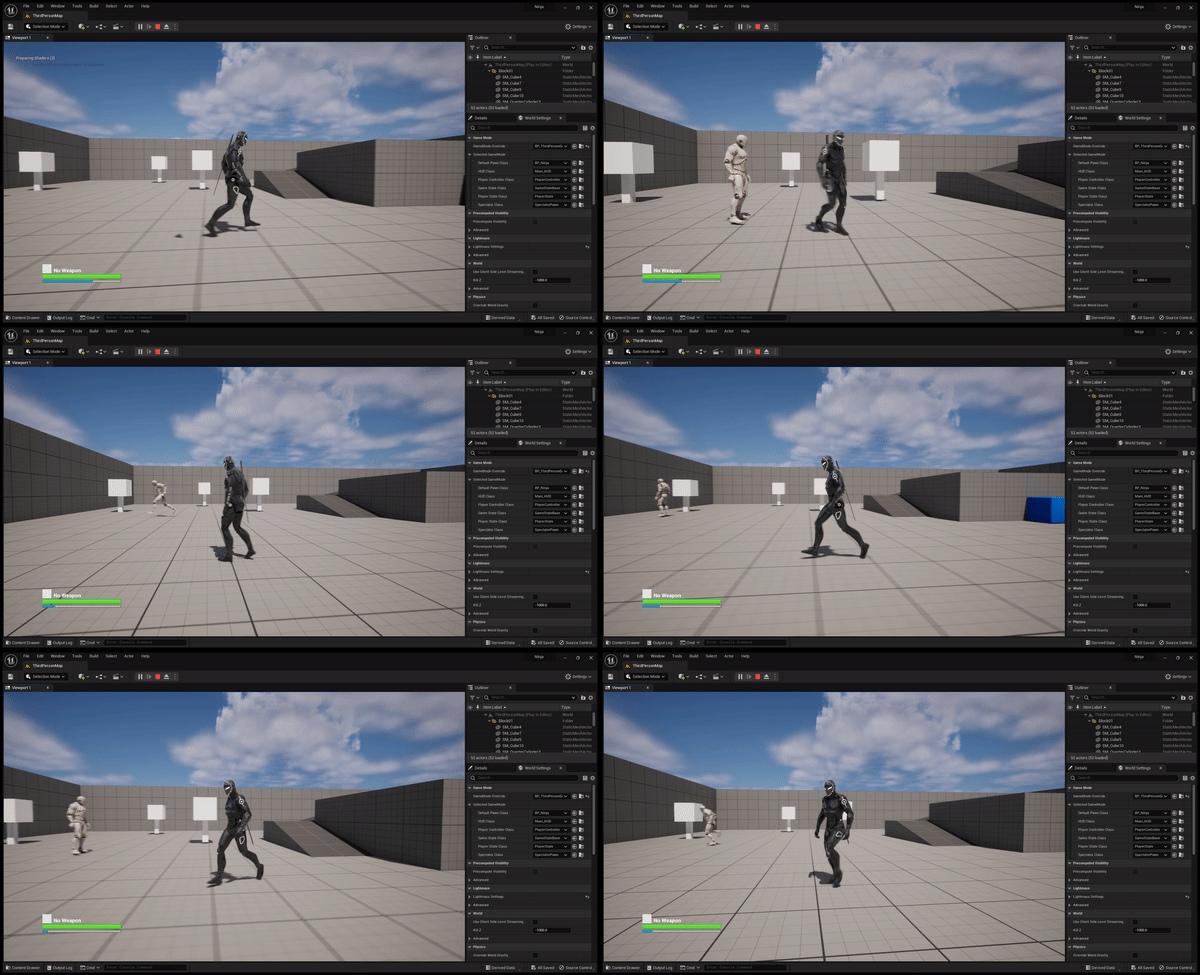
Overview
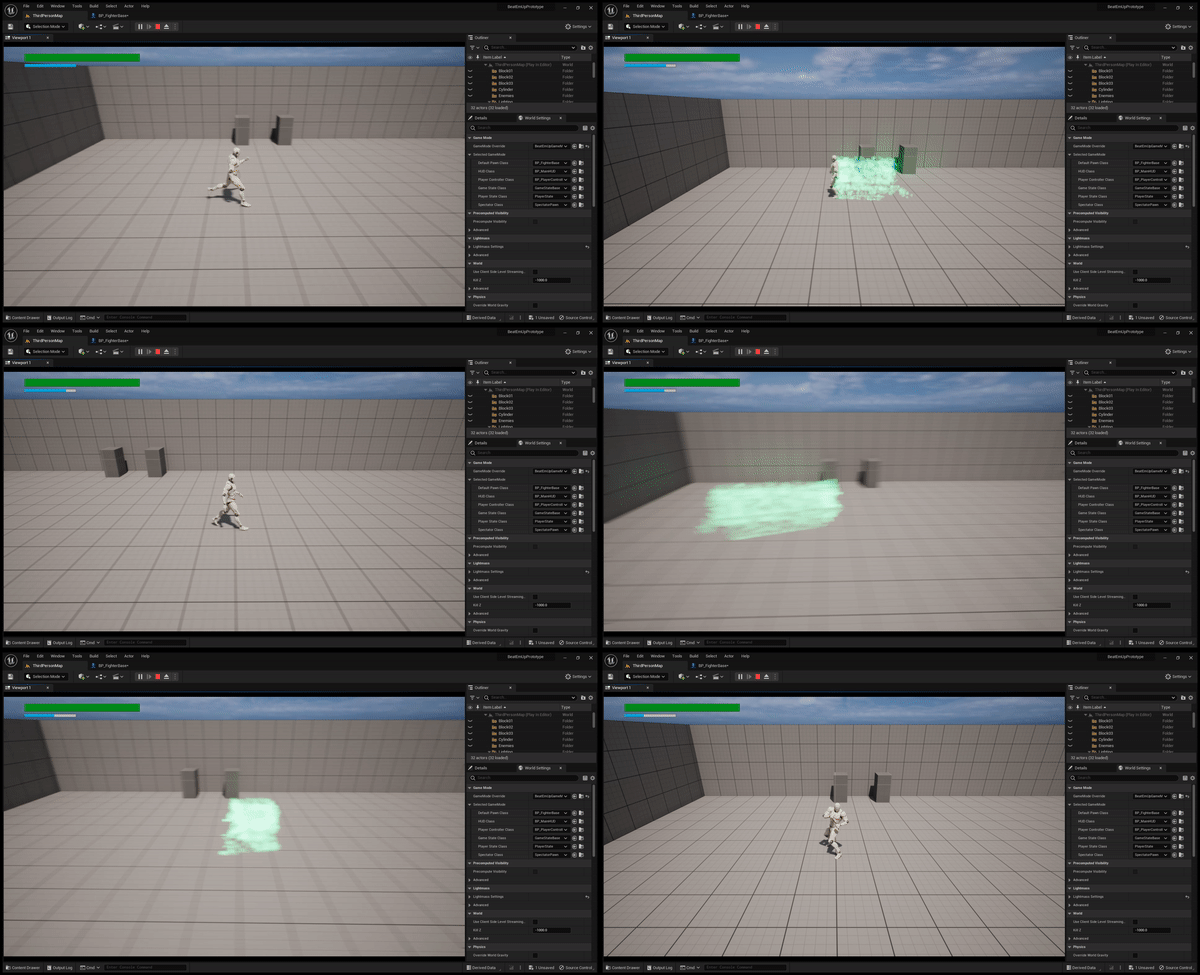
The dash ability was created using UE5’s Niagara particles system and actor components. The ability is modular and can be applied to any actor in the scene, provided that actor possess a movement component.
INHERITING FROM BASE ABILITY
The Dash Ability (AC_DashAbility) inherits some basic functionality from a Base Ability Component (AC_BaseAbility), which includes getting the Owning component on Begin Play, and creating Character, Character Movement and Mesh variables.

The AC_BaseAbility component also contains a variable for the Ability Cost. This is specifically used for the player character, as the player will have an ability cost associated with using the ability (displayed on a progress bar on the HUD).
The AC_BaseAbility contains two functions, PerformAbility and StopAbility.
DASH ABILITY FUNCTIONALITY
Inside of the AC_DashAbility component, this is where the magic happens!
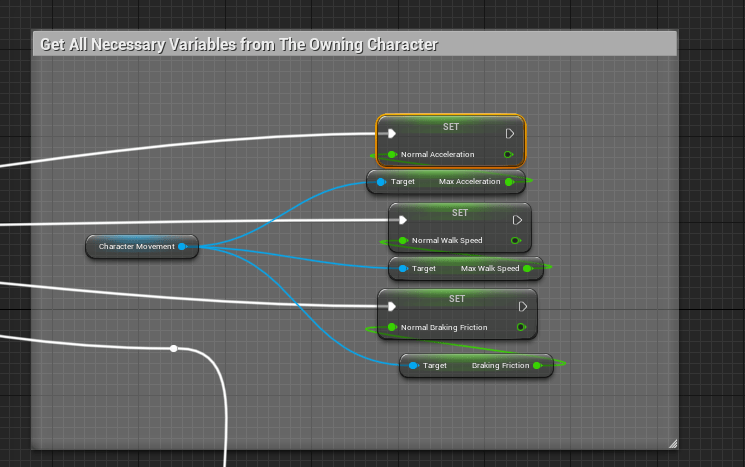
First, the inherited character movement component (from Owner) will get the base Acceleration, Walk Speed and Braking Friction variables (floats) and set them to variables inside of the AC_DashAbility Component.
Then, the Niagara System (explained further in a later section) is set up within the AC_DashComponent. It gets the owning component, adds a Niagara particle system component to it, and sets it to a variable (of type Niagara Particle System Component). Then, it sets that component as a Niagara System Asset and deactivates it on begin play.
All of these steps happen in a 4 step sequence on begin play after calling the parent function.
The PerformAbility function in the AC_DashAbility essentially checks to see what movement mode the owning actor is in, and checks to see if the player character is falling or not. If this checks out, it will cast to the player character and perform an additional check to make sure that there is enough resource available. If there is enough resource, the resource is drained and the dash is peformed.
If it’s NOT a player character attempting to dash (if the cast fails) it will perform the dash anyway.

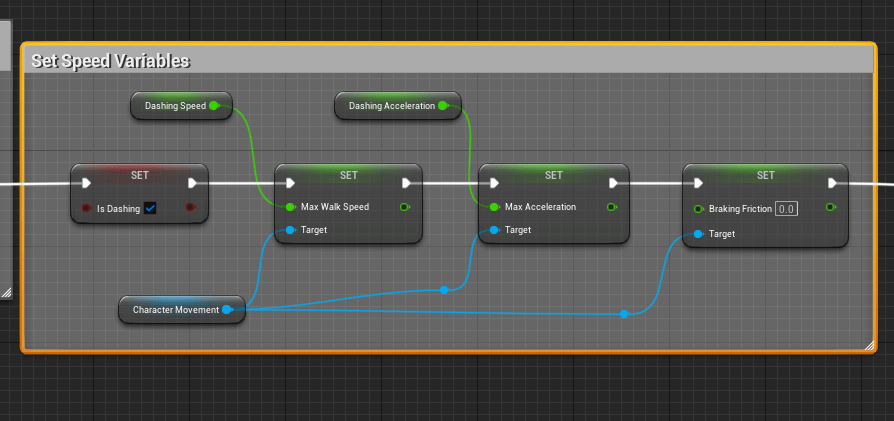
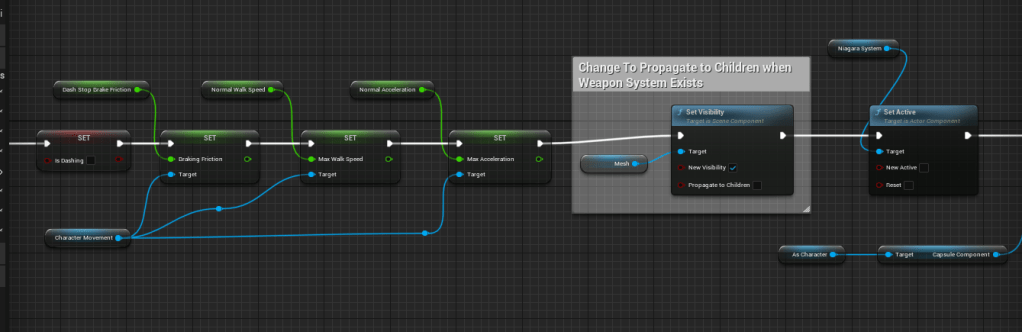
After these checks, if the dash is successful, it will turn on the Niagara System component (set new active to TRUE), set an “isDashing” boolean to TRUE and set the players Speed, Acceleration and Breaking Friction to the speed required to perform the dash.
Finally, there is a Timer set to trigger an event called StopDash that will trigger when a “DashTime” variable reaches Zero. StopDash will trigger the StopAbility function inherited from AC_BaseAbility.


The Stop Ability Function resets the Speed, Brake Friction and and Acceleration floats and turns off the niagara particle system, and sets the “IsDashing” boolean to FALSE.
NIAGARA PARTICLE SYSTEM SET UP
The Niagara Particle System is just a Niagara System variable. I started with an empty particle system, made sure that it uses GPU for it’s Sim Target property, set Emitter State to Self, and tweaked a few other variables.

HUD
The HUD is sort of it’s own article, but the main overview is that the player has a blue bar that represents their ability resource. This bar is bound to an AC_AbilityResource Component that contains variables for the maximum amount of resource and the current amount of resource, so it functions like a typical progress bar.
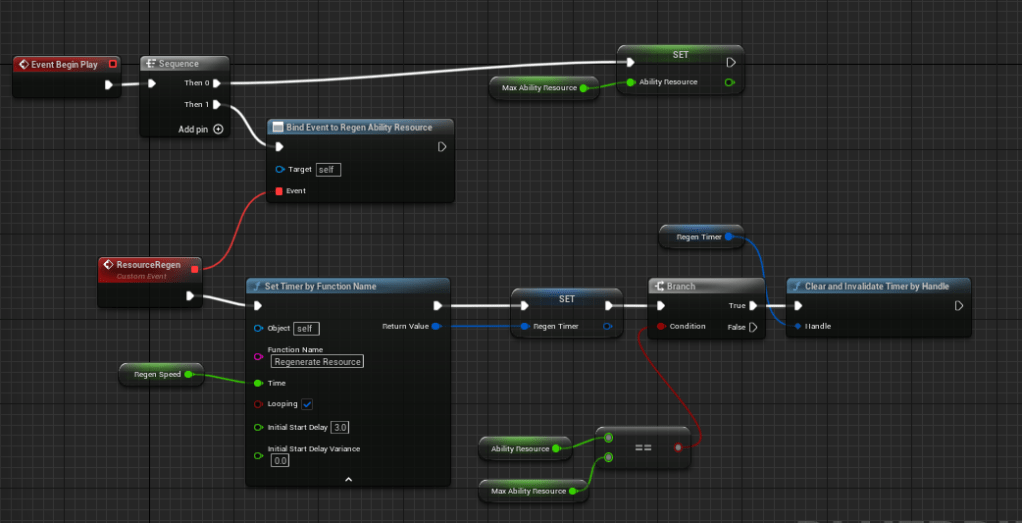
The significant part of this implementation is that the resource self refills after a set amount of time, so the player does not need to pick up any items to refill the resource. This is accomplished in the AC_AbilityResource component using an event dispatcher that is called from the player character when the ability is drained.
RESULTS
And the final results! (image below is 2.5D implementation).

 CHRISTOPHER GUYTON